One-Step Access
Your registered username or email and password are all you need. The Sunny Spins login page loads instantly on both desktop and mobile browsers.
Login at Sunny Spins in Australia: SSL-Protected Sign In
Access your account in seconds from any device. Enter your username or email and password on the Sunny Spins login page to reach your full game library and cashier.
Keeping Your Sunny Spins Account Secure
What You Should Do
What You Should Avoid
Your Account, Your Way
One-Step Access
Your registered username or email and password are all you need. The Sunny Spins login page loads instantly on both desktop and mobile browsers.
SSL-Encrypted Sessions
Every login session is protected by SSL/TLS encryption, keeping your credentials and account data secure from interception.
Fully Mobile-Ready
The login page works identically on Android and iOS mobile browsers, giving you the same account access on your phone as on a desktop.
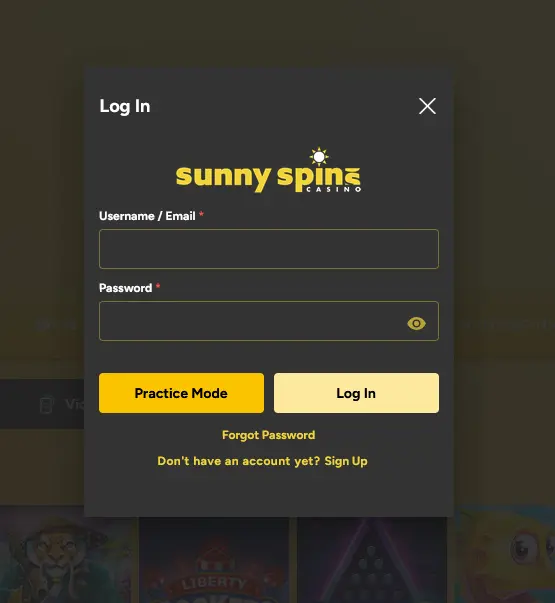
Accessing your Sunny Spins account follows the same straightforward process across all devices. Your registered username or email and password are the only credentials required. The login window also has a Practice Mode button for trying games without signing in to a real-money session. The casino does not currently offer social login or single-sign-on alternatives, so keeping those two details to hand is the starting point each time. New here? The steps to Sign Up take only a few minutes.
Open your preferred desktop browser and navigate to the Sunny Spins website. The login button sits prominently in the upper-right corner of the homepage. Click it, enter your registered username or email in the first field, enter your password in the second (the eye icon shows what you typed), and click Log In. The lobby loads immediately on successful authentication. If you have an active bonus balance, you will see it displayed in the account dashboard alongside your real-money balance.
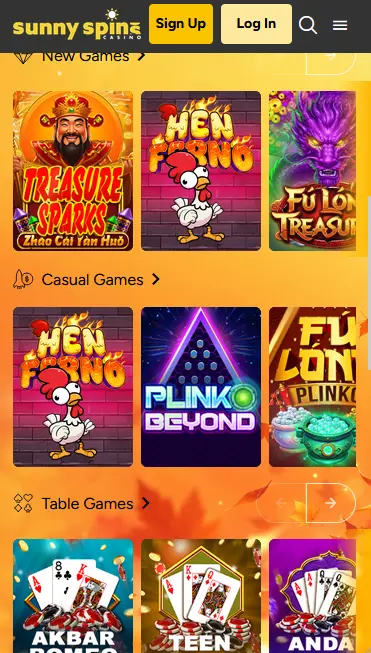
On an Android or iOS device, open Safari, Chrome, or any current mobile browser and go to the Sunny Spins site. The mobile layout moves the login control to the top of the screen. Tap it, enter your credentials, and tap sign in. The HTML5 platform adapts the full interface to your screen size, so the game lobby, cashier, and promotions sections are all accessible exactly as they are on desktop. Using the browser’s password manager to autofill credentials speeds up the process on subsequent visits.
Sunny Spins does not currently offer a native downloadable app on Google Play or the App Store. All account access, including login, is through the mobile browser version of the site. The experience is functionally equivalent to a dedicated app, with games loading via HTML5 without additional plugins.
Sunny Spins uses standard email-and-password authentication. There is no biometric login at the cashier level, though your device’s own biometric autofill function (Face ID, fingerprint unlock) can be used to populate saved credentials automatically if you have set this up in your browser settings. The casino’s login page is served over HTTPS at all times, so the connection between your device and Sunny Spins servers is encrypted via SSL/TLS from the moment the page loads.
Protecting your Sunny Spins account begins with a strong, unique password. A robust password uses a minimum of eight characters combining upper and lowercase letters, numbers, and at least one special character. Avoid any password that includes your name, date of birth, or any detail that could be guessed from publicly available information. Sunny Spins staff will never ask for your password by email or through live chat, so any message requesting it should be treated as a phishing attempt.
After each session, particularly on shared computers or public Wi-Fi networks, log out manually through the account menu. If you ever notice a transaction or login you do not recognise, email [email protected] straight away so the team can review recent account activity and secure the account if necessary.
Several common issues can prevent a successful login, and most resolve quickly without contacting support.
A forgotten password is the most frequent cause. Click the forgot-password link directly on the login page, enter your registered email, and you will receive a reset link. Follow the link and choose a new password. If the reset email does not appear within five minutes, check the spam or promotions folder of your email client.
If the email address you are entering does not match the one used at registration, the login will fail regardless of the password. Try alternate email addresses if you are unsure which you registered with. The Sunny Spins support team at [email protected] can look up your account by verifiable personal details if you cannot recall the registered address.
Multiple incorrect password attempts within a short period may trigger a temporary account lock as a security measure. If this occurs, use the password reset function or contact support directly. The team can confirm your identity and restore access, typically within one business day.
Players attempting to access their account from a new device or location for the first time may be prompted for additional verification. This is a standard security check and is resolved by confirming the login via a verification email sent to the registered address.
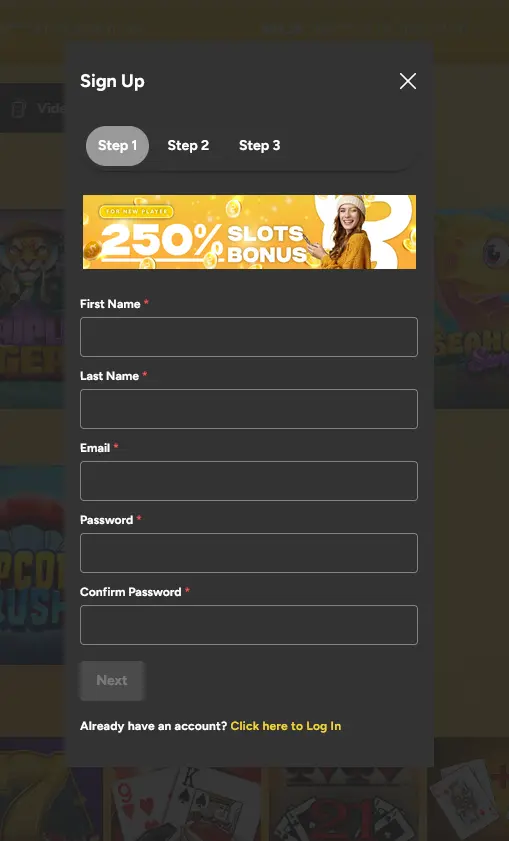
Creating a Sunny Spins account takes three short steps. Step 1 asks for your first name, last name, email address, password and password confirmation, and the next two steps complete the profile. Once your email is verified, the $55 no-deposit free chip is available by entering code SUNNY55 in the cashier. You must be 18 or older to register and play at Sunny Spins.
Login Questions Answered
Email verification is a one-time step completed at registration. If you did not click the verification link at sign-up, check your inbox and spam folder for the original email from Sunny Spins, then click the link before attempting to log in.
Click the forgot-password link on the Sunny Spins login page, enter your registered email address, and follow the reset instructions sent to that address. If the email does not arrive within a few minutes, check your spam folder.
Yes. Sunny Spins does not have a native app, and the full login and account experience is available through the mobile browser on any current Android or iOS device using the HTML5 platform.
Use the forgot-password function to generate a new password, or contact the support team at [email protected] and they will assist with unlocking the account after identity confirmation.
Ready to Play? Log In Now
Take a 250% slots bonus up to $2,500 on your first deposit.
Spin Now 18+ only. Gambling may become addictive. Bonus terms and conditions apply.