Full Lobby on Any Screen
The HTML5 platform delivers every pokie, table game, crash game, and cashier function from the desktop site in a layout that adapts automatically to phone and tablet screen sizes.
App at Sunny Spins in Australia: PWA Installation
Access the full Sunny Spins Casino experience on any Android or iOS device through your mobile browser. No download required - just open the site and play 350+ RTG pokies, claim bonuses, and manage your cashier from wherever you are.
How to Start Playing on Mobile
What Makes the Sunny Spins Mobile Experience Stand Out
Full Lobby on Any Screen
The HTML5 platform delivers every pokie, table game, crash game, and cashier function from the desktop site in a layout that adapts automatically to phone and tablet screen sizes.
Instant Load, No Download
Because Sunny Spins runs in the browser, there is nothing to install and no storage space consumed on your device. Games from Realtime Gaming and SpinLogic Gaming launch directly in the browser tab.
SSL-Encrypted Mobile Sessions
Every session opened from a mobile browser is protected by the same SSL/TLS encryption that covers desktop play, keeping your credentials, payment data, and personal information secure.
Sunny Spins on Mobile
Access the full Sunny Spins Casino experience on any Android or iOS device through your mobile browser. No download required - just open the site and play 350+ RTG pokies, claim bonuses, and manage your cashier from wherever you are.
Play on Your Phone 18+ only. Gambling may become addictive. Bonus terms and conditions apply.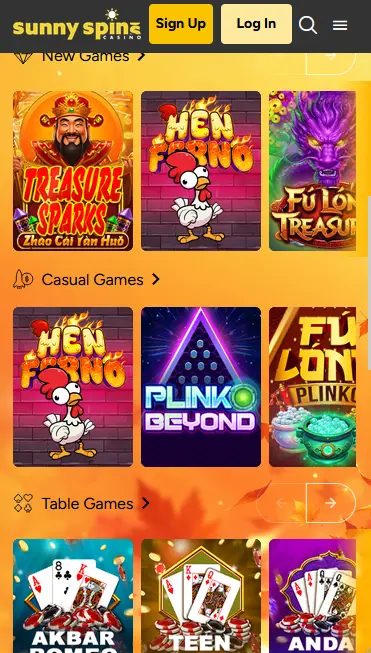
Staying Secure on the Sunny Spins Mobile Site
What You Should Do
What You Should Avoid
Device Compatibility
Android
iOS
Sunny Spins Mobile: Pros and Cons
Pros
Cons
The complete Sunny Spins game library is accessible through the mobile browser without any reduction in catalogue size or functionality. All titles use HTML5 technology, which means they load natively in the browser tab rather than requiring a plugin or a downloaded launcher.
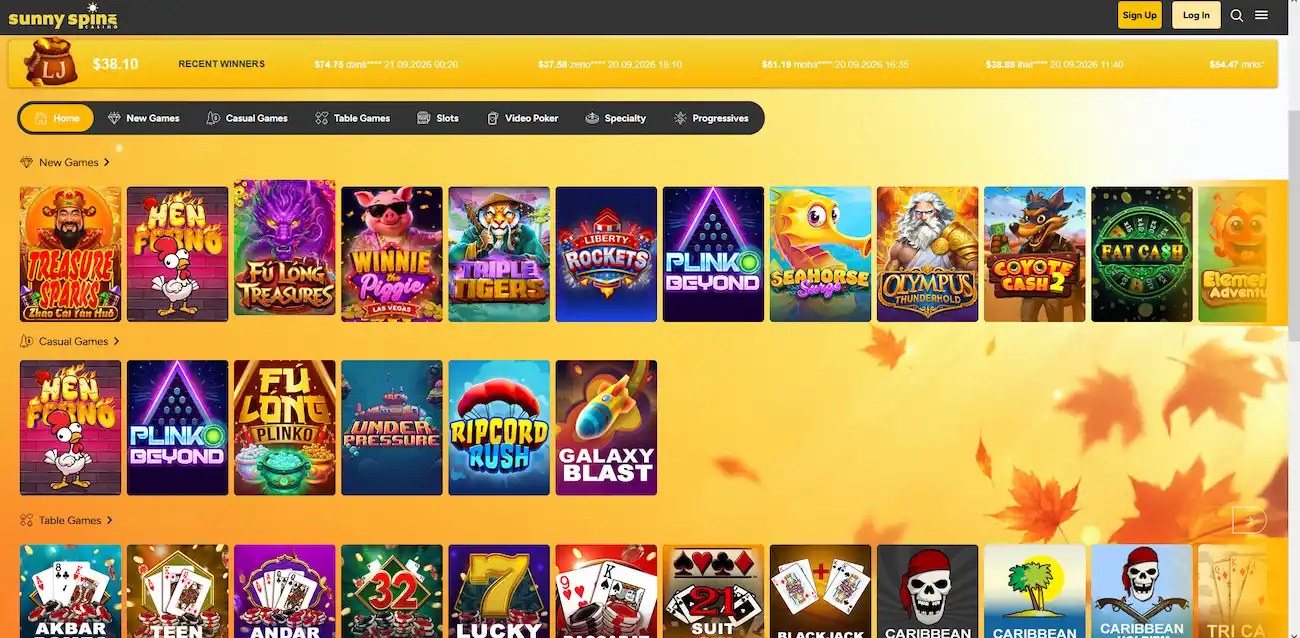
Every Realtime Gaming pokie in the Sunny Spins library is playable on mobile, including titles such as Treasure Sparks, Fu Long Treasures, Triple Tigers, Coyote Cash 2, and Winnie the Piggie Las Vegas. The mobile rendering preserves the full reel animation, free spin bonus round mechanics, and any in-game multiplier features. Demo mode works on mobile as it does on desktop, letting you assess the variance of a pokie before switching to real-money play.
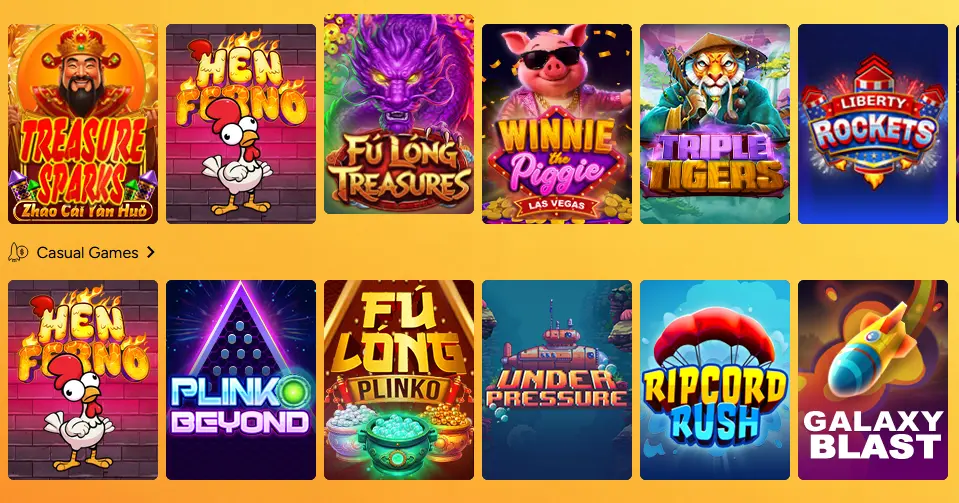
Sunny Spins does not currently operate a live dealer section, so there are no live tables to access from the mobile browser at this time. The RNG-based table game range covers the equivalent formats including Blackjack, Baccarat, Caribbean Stud Poker, and Teen Patti.
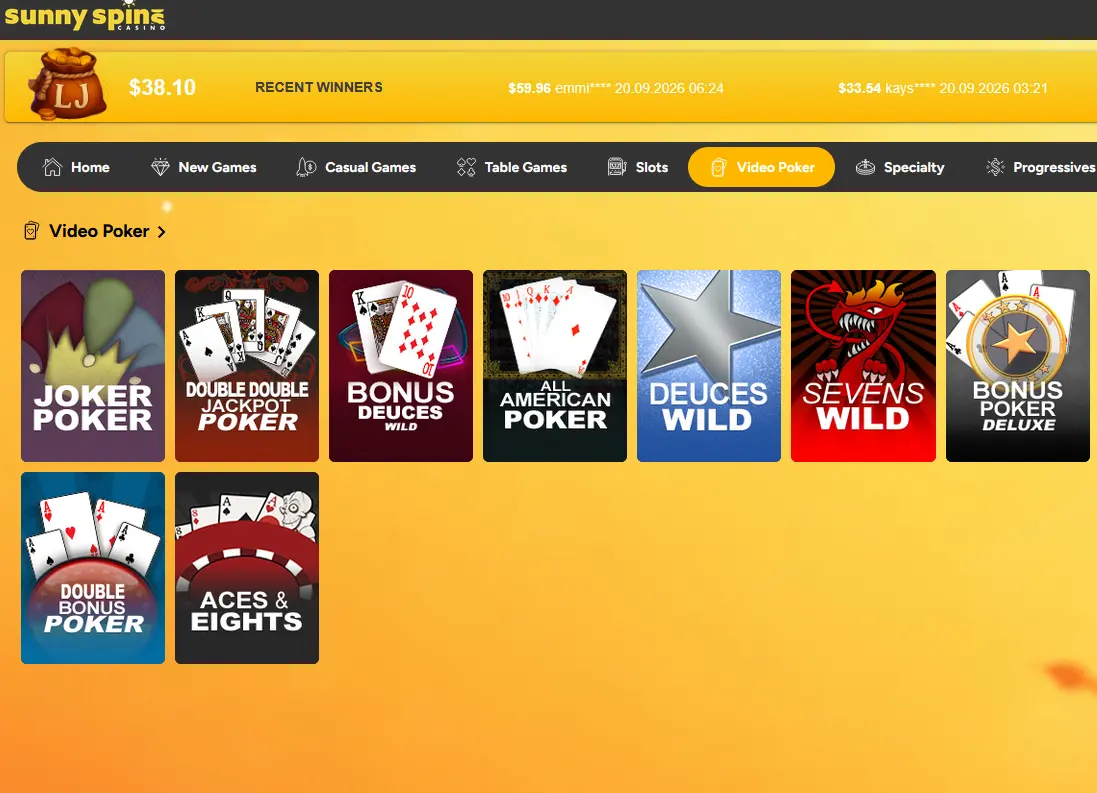
Table game titles from Realtime Gaming load cleanly on mobile screens, with card layouts and betting controls scaled to touch interfaces. Video poker variants including Joker Poker, Deuces Wild, and Aces & Eights are also fully playable from mobile. Note that table game wagering contributions under an active bonus differ from pokie contributions; always verify current bonus terms before playing table games with a bonus balance.
Progressive jackpot pokies, including Samba Jackpots and other RTG jackpot series, are available from the mobile lobby. The jackpot counter updates in real time and is visible in the game before launching. A compulsory $0.01 ante bet is included in each spin to feed the progressive pool.
Sunny Spins is a browser-based mobile platform, which means compatibility is determined by the browser version rather than a specific installed app version. Any device running a current mobile browser can access the full site without any additional configuration.
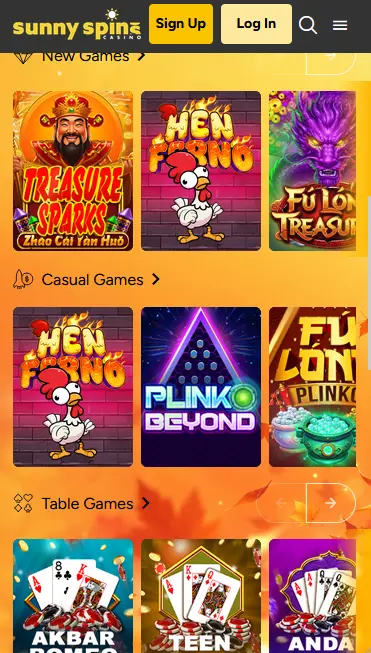
Android devices running Android 7.0 (Nougat) or later with a current version of Chrome or any Chromium-based browser will run Sunny Spins without issue. Older Android versions may experience reduced performance on graphics-intensive RTG pokies due to limited WebGL support. Updating to the latest available browser version on your device is recommended before your first session.
iOS 13 or later is the recommended minimum for the best Sunny Spins experience in Safari. Chrome for iOS is also fully supported. Older iOS versions may encounter performance limitations on newer Realtime Gaming titles that use advanced audio and animation layers. Ensure Safari and iOS are updated to the latest version available for your device model.
| Spec | Android | iOS |
|---|---|---|
| OS Version | Android 7.0 or later | iOS 13 or later |
| Browser | Chrome, Firefox, any Chromium browser | Safari, Chrome for iOS |
| Internet | 4G/5G or stable Wi-Fi | 4G/5G or stable Wi-Fi |
| Storage | None required (browser-based) | None required (browser-based) |
Sunny Spins does not require a download or installation. The platform runs entirely through the mobile browser. The steps below cover how to access the site efficiently on Android, iOS, and how to create a home-screen shortcut for app-like access.
Open Chrome on your Android device and navigate to sunnyspins.app. The mobile layout loads automatically. To create a home-screen shortcut, tap the three-dot menu in the top-right corner of Chrome and select “Add to Home Screen”. Give the shortcut a name, tap Add, and the icon will appear on your device’s home screen. Tapping it launches the Sunny Spins site in a full-screen browser view without the address bar, mimicking the feel of a native app.
Open Safari on your iPhone or iPad and navigate to sunnyspins.app. Tap the Share button (the square with an upward arrow) at the bottom of the screen, scroll down the share sheet, and tap “Add to Home Screen”. Confirm the name and tap Add. The shortcut appears on your home screen and opens the Sunny Spins site in a full-screen Safari view. Touch ID or Face ID autofill can be used to log in quickly after the shortcut is set up.
The home-screen shortcut method described above for both Android and iOS creates a Progressive Web App (PWA) shortcut. It does not require the Google Play Store or the Apple App Store, no account verification is needed at the store level, and the shortcut always opens the latest version of the site without manual updates. If Sunny Spins updates its mobile platform, the changes are live the next time you open the shortcut.
All Sunny Spins bonuses available on desktop are equally accessible through the mobile browser. There is no separate mobile-specific welcome offer, and no bonus is restricted to desktop-only use.
The $55 no-deposit free chip (code SUNNY55) the 250% Slots Bonus up to $2,500 (code SUNNY250), and the 150% All Games Bonus (code SUNNY150) are all claimable via the cashier in the mobile browser. Navigate to the cashier after logging in, tap the promo code field, enter the relevant code, and confirm. Bonus credit appears in the account immediately. Wagering requirements and game restrictions are identical to the desktop version: 50x for the no-deposit chip on slots, keno, and scratch cards; 40x on the combined bonus and deposit for the 250% match on pokies and keno. Maximum bet during any active bonus is $5. Must be 18+. For the full breakdown of terms, visit the bonus page.
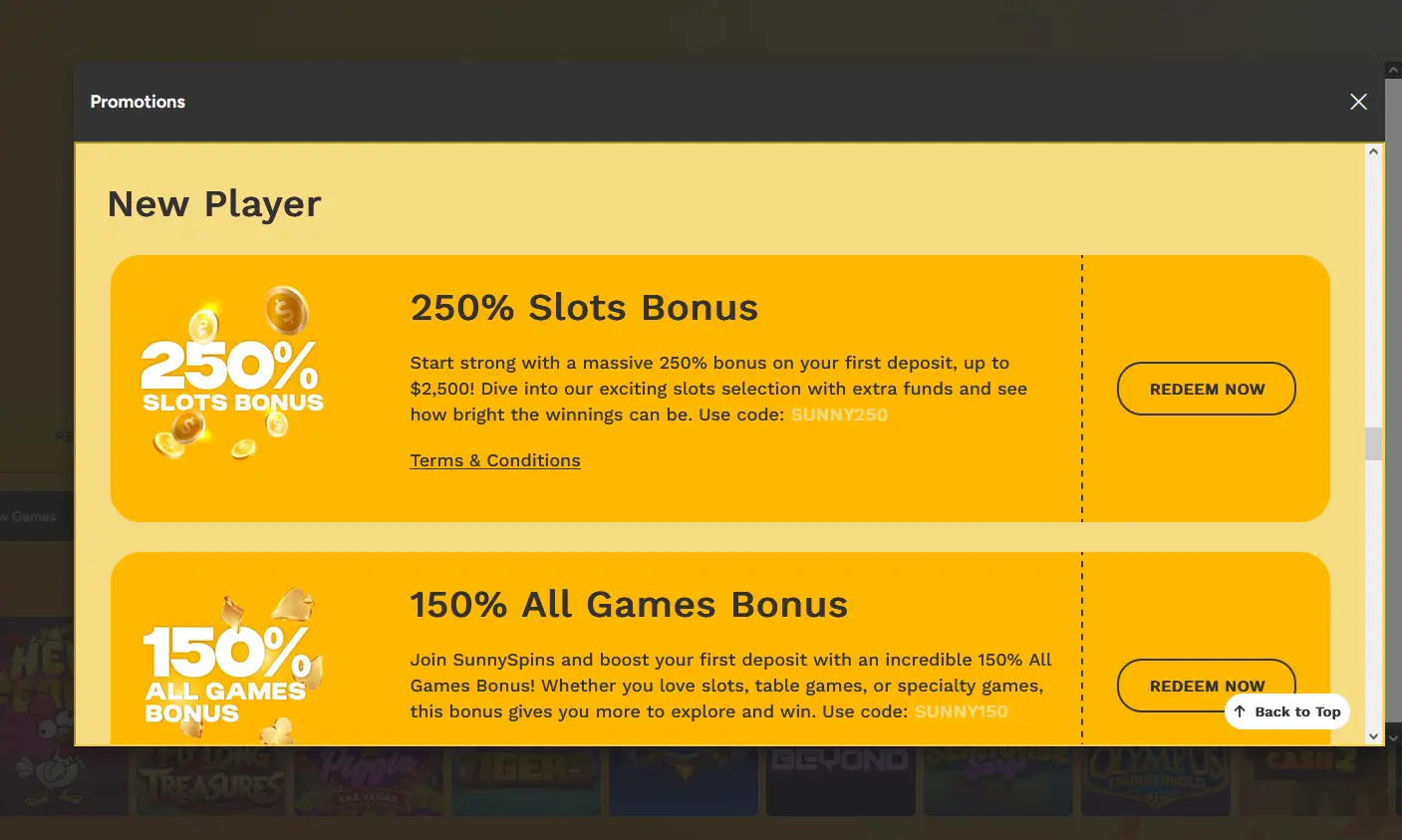
No exclusive mobile-only bonus was publicly listed at the time of writing. The promotions page within the logged-in account is the authoritative source for any mobile-exclusive offers that may be introduced. Must be 18+.
The Sunny Spins cashier is fully functional on mobile and supports all the same methods available on desktop.
| Method | Type | Min. Deposit |
|---|---|---|
| Bitcoin (BTC) | Cryptocurrency | $20 |
| Ethereum (ETH) | Cryptocurrency | $20 |
| Litecoin (LTC) | Cryptocurrency | $20 |
| Dogecoin (DOGE) | Cryptocurrency | $20 |
| Visa | Credit card | $26 |
| Mastercard | Credit card | $26 |
| Skrill | E-wallet | $20 |
| Neteller | E-wallet | $20 |
| Bank Transfer | Bank | $20 |
| Method | Deposit Time | Withdrawal Time |
|---|---|---|
| Cryptocurrency | Instant | Within 1 hour (after approval) |
| Visa / Mastercard | Instant | 1-3 business days |
| Skrill / Neteller | Instant | Up to 24 hours |
| Bank Transfer | 3-5 business days | 3-5 business days |
All withdrawals are subject to a 24-48 hour pending period before processing begins. KYC verification must be completed before any withdrawal is approved.
Every transaction in the Sunny Spins mobile cashier is transmitted over an SSL/TLS encrypted connection. Payment credentials are not stored on the Sunny Spins platform beyond what is necessary for processing; cryptocurrency transactions, by their nature, do not require the casino to hold card data at all. Two-factor verification at the payment level is not currently listed as a mandatory feature, though strong account password practices and mobile device security settings provide a comparable layer of protection.
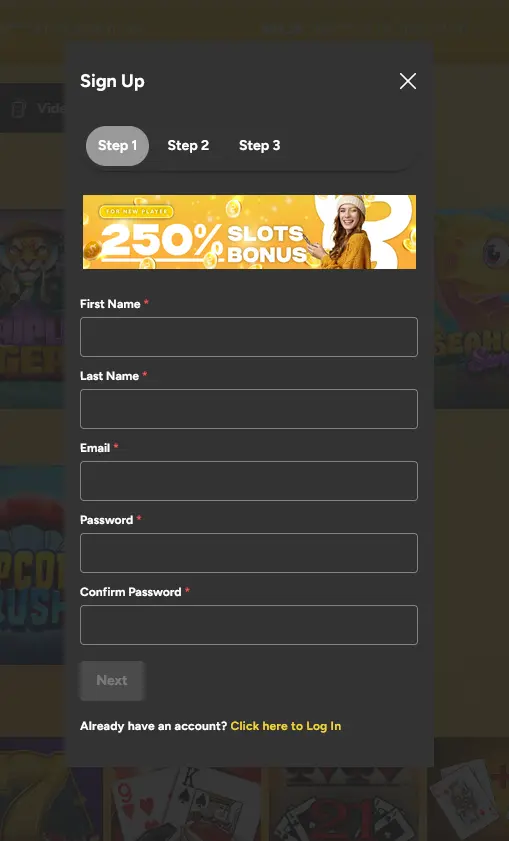
Registration at Sunny Spins is a three-step process available from the mobile browser. Tap Sign Up, enter your first name, last name, email address and password, then complete the remaining two steps of the form. Verify your email by clicking the link sent to your inbox, and the account is active. You must be 18 or older to register. Once registered, the cashier is immediately accessible for bonus code entry and deposits.
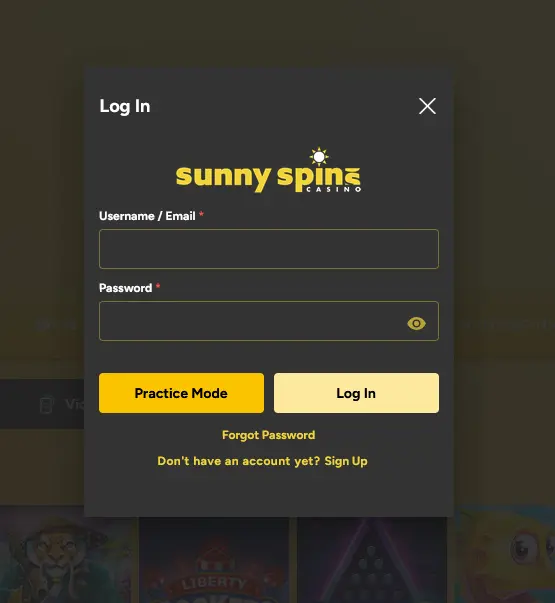
Tap Log In at the top of the mobile site, enter your registered username or email and password, and tap Log In again. The mobile browser’s autofill or biometric credential functions can be used to speed up repeat logins. For troubleshooting login problems including forgotten passwords and account locks, visit the login page.
All communication between your mobile browser and Sunny Spins servers uses SSL/TLS encryption. This applies to login sessions, cashier transactions, and in-game data. The padlock icon visible in the browser address bar confirms the secure connection is active.
Sunny Spins does not currently list mandatory two-factor authentication as a published account feature. Account security relies on a strong unique password, email-verified account access, and KYC identity verification before withdrawals. Players are encouraged to use a password manager and enable their device’s screen lock to add a hardware-level barrier to account access.
Biometric authentication at the Sunny Spins login level is not currently a built-in platform feature. However, the native biometric autofill functions on Android (fingerprint, face unlock) and iOS (Touch ID, Face ID) can be used to populate saved browser credentials automatically, achieving a functionally similar result for players who have saved their credentials in the device’s password manager.
Support is available by email at [email protected] for all players, and via live chat for players who are logged into their account. There is no telephone support line. For non-urgent queries submitted from the mobile site, email is the most practical channel; for account-specific issues during a session, in-account live chat is faster.
| Channel | Access | Contact |
|---|---|---|
| All players | [email protected] | |
| Live Chat | Logged-in players | In-account chat widget |
Players concerned about their gambling behaviour can contact the support team at [email protected] to request deposit limits, cooling-off periods, or self-exclusion from the Sunny Spins platform. These options are available to all account holders. Sunny Spins encourages all players to set personal limits as part of a responsible approach to online gaming. Players must be 18 or older to hold an account and access any real-money feature of the site.
Mobile and App Questions
No. Sunny Spins does not currently offer a native downloadable app on Google Play or the Apple App Store. The full casino experience is delivered through the mobile browser using HTML5 technology on both Android and iOS devices.
Yes. On iOS, open the site in Safari, tap the share icon, and select Add to Home Screen. On Android, open the site in Chrome, tap the three-dot menu, and select Add to Home Screen. The shortcut launches the site full-screen and functions as a progressive web app shortcut.
Yes. The HTML5 platform delivers the complete Realtime Gaming and SpinLogic Gaming catalogue on mobile, including pokies, progressive jackpot titles like Samba Jackpots, crash games, table games, and video poker.
Yes. The full cashier is accessible from the mobile browser, including cryptocurrency deposits and withdrawals via Bitcoin, Ethereum, Litecoin, and Dogecoin. Crypto deposits are processed instantly and crypto withdrawals typically complete within one hour of approval.
Play Sunny Spins on Your Phone Today
Take a 250% slots bonus up to $2,500 on your first deposit.
Spin Now 18+ only. Gambling may become addictive. Bonus terms and conditions apply.